
Bajorat Media
WordPress 6.2: Style book, Openverse and innovations
WordPress 6.2: Stylebook, Openverse, block theme widgets and performance improvements as important steps in the site editor.
WordPress 6.2 was released in March 2023. For current projects, the currently supported WordPress version should always be evaluated; However, the functions described here show well how full site editing, block themes and the site editor have developed further.
We tested WordPress 6.2 to give you an insight into what’s new in this release. These range from the new style book to changes in block settings to the integration of Openverse. The changes seem unspectacular at first glance, but they add some interesting functions to the full site editing and block themes. WordPress 6.2 brought users into the customization phase in the middle of the Gutenberg roadmap, WordPress’ advanced graphical editor. This phase is primarily about editing the entire website directly from the editor and without page builder, as well as block patterns, the block directory and block-based themes.
Twenty-Twenty-Three theme and template colors
Twenty-Twenty-Three has been the default WordPress block theme since WordPress 6.1. Block themes offer a wide range of visual possibilities and other functions directly in the site editor. The Twenty-Twenty-Three theme is installed by default with WordPress 6.2. To make it easier to see whether you are currently editing a template, such as a header or footer, these areas are marked in color. The same coloring can also be seen in the block inserter. 
Changes to block settings and styles
In WordPress 6.2 the settings icon changes. In addition, the block settings are divided into two tabs: Settings and Styles. This means you no longer have to scroll as long when adjusting the block settings. When editing the style of blocks from a template, it is now possible to apply those changes to every instance of that block. To do this, first select the block you want to change, then the settings in the top right. Then change the block styles as desired in the block settings and select the “Apply globally” field at the bottom.
Copy and paste block styles
Previously, the ability to change the style of a specific block and apply the same style elsewhere was very limited. In addition to the new Apply Global option, styles can now be copied from a single block and applied to another block using the Copy Styles and Paste options.
The new WordPress style book
Easy import of widgets
If a WordPress website was created before the introduction of the site editor and you want to switch to a block theme, the previously configured widget settings can now be imported. Widgets in classic themes can already be managed with the block inserter. To import widgets into a template part of a block theme, select Appearance, then Site Editor, then Templates. The next step is to create a new template. Then add a new template block, choose a name that refers to the footer and select “Start Blank”. Open the block settings and expand the “Advanced” section. Under “Import Widget Area” select the widget area you want to import and click “Import”.
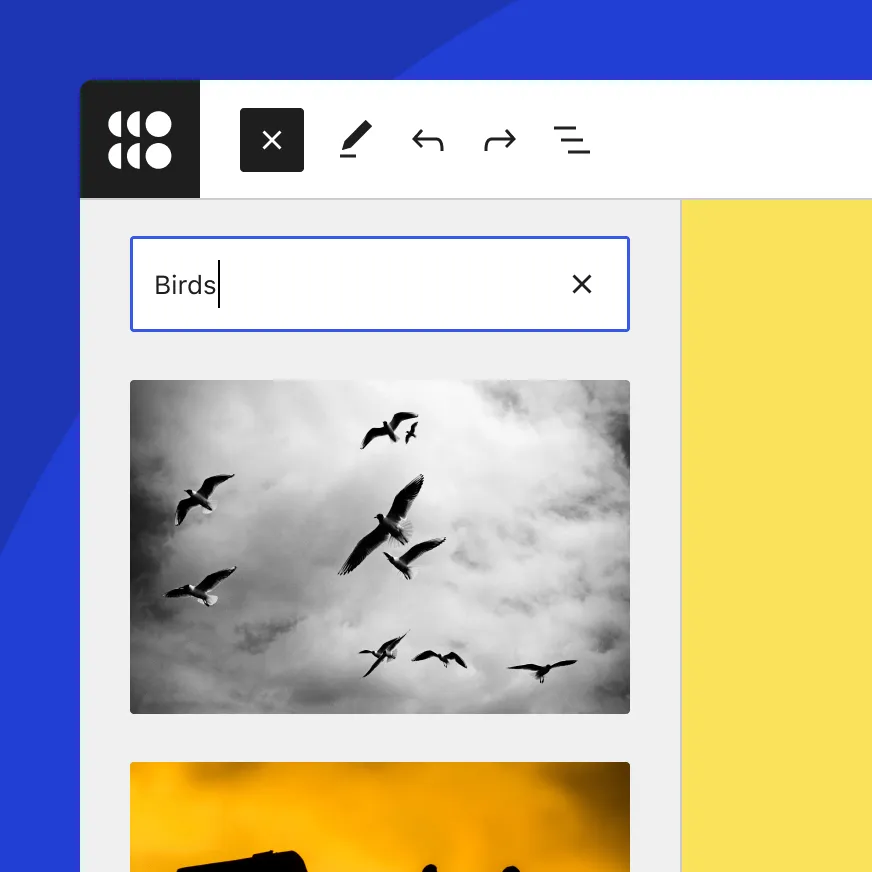
Integration of Openverse and Block-Inserter Media
Sticky navigation and block pattern inserter
As of WordPress 6.2, it is easy to position the navigation bar so that it sticks to the top of the screen. To do this, insert the header into a group block and select the group block. Then go to the settings, to Block, and expand the “Position” option. In the last step, select the “Sticky” option from the drop-down list. Block patterns are an easy way to quickly design content within a post or page. Since the update, the Block Pattern Inserter no longer has a drop-down menu to switch between pattern categories. From now on, the pattern types will be displayed directly with a preview of the pattern before it is inserted into a post.
Performance highlights
“Dolphy” includes several impressive performance improvements. Overall faster loading times for block themes of 14 to 18% and speed increases of 2 to 5% for classic themes are observed. Server-side performance is also significantly improved, with an increase of 17 to 23% for block themes and 3 to 5% for classic themes. The performance team is dedicated to these types of improvements.
Do you want to achieve more with WordPress?
If you have one WordPress agency or need services related to WordPress, do not hesitate, to contact us. Our experienced team is available to discuss your individual requirements and help you realize your website vision. Let’s design your next successful online project together!

