
Bajorat Media
Password Manager: A Guide to Improving Your Online Security
Password managers like 1Password & LastPass increase online security with strong passwords, 2FA, encryption and phishing protection.
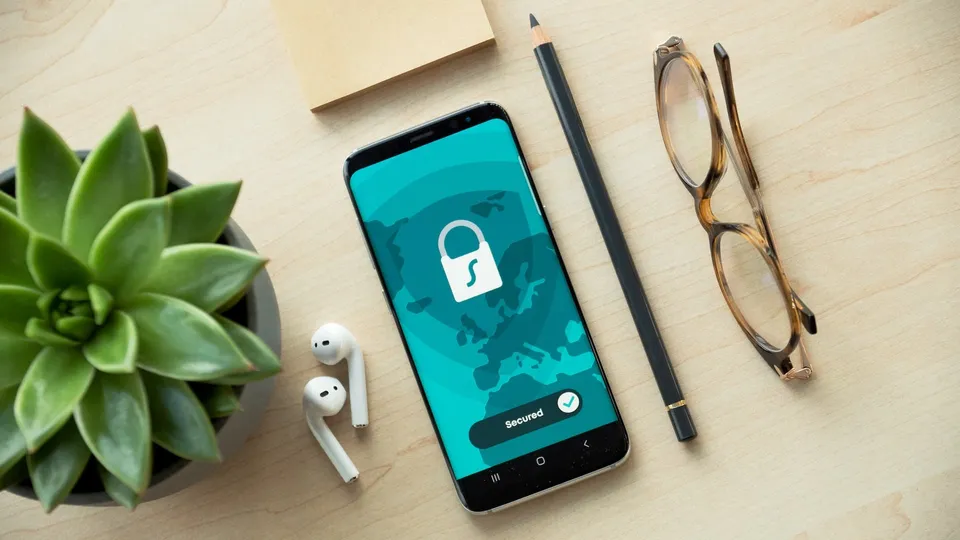
In today’s digital world, passwords are an essential part of our online security. They protect our personal data, bank accounts and many other sensitive information from unauthorized access. Unfortunately, passwords are often vulnerable to attacks such as phishing or brute force attacks, and many users struggle to create and store complex and unique passwords for each of their online accounts. Here come password manager software like 1Password or LastPass into the game. These programs provide a convenient and secure way to manage passwords while increasing online security. Below we discuss the benefits and security considerations of password managers to help consumers choose the best solution for their needs.
Advantages of password managers
a) Creation and storage of secure passwords
Password manager software helps users create strong and unique passwords for their various online accounts. These programs use complex algorithms to generate passwords that are difficult to guess or crack. The passwords are then securely stored in an encrypted database that only the user with a master password has access to.
b) Simplifying password changes
Good password hygiene requires users to change their passwords regularly to stay one step ahead of potential hackers. Password managers make this process easier by automatically updating passwords for different accounts and storing the new passwords securely.
c) Synchronization of passwords across different devices
Since many users use multiple devices to access their online accounts, synchronizing passwords across different devices is crucial. Password managers provide this feature by allowing users to sync their encrypted password databases across different devices and platforms.
d) Automatic filling of passwords and forms
Another benefit of password managers is the ability to automatically insert passwords and other credentials into online forms. This feature saves time and reduces the likelihood of typos that can result in a user being locked out.
Security aspects of password managers
a) End-to-end encryption
To ensure the security of stored passwords, password managers such as 1Password or LastPass use end-to-end encryption. This means that passwords and other credentials are encrypted on the user’s device before being transmitted over the Internet or stored in the cloud. Only the user with the correct master password can access the decrypted passwords and credentials. This method ensures that even in the event of a security incident in which the database is compromised, the passwords and credentials it contains remain unreadable and useless to attackers. By using end-to-end encryption, password managers can ensure a high level of security and privacy for users.
b) Two-factor authentication (2FA)
Many password managers allow you to enable two-factor authentication (2FA). This additional security measure requires that users enter not only their master password when logging into the password manager, but also a one-time security code received via a trusted method such as a smartphone app or SMS. This increases security by preventing unauthorized people from gaining access to the password database, even if they know the master password.
c) Security checks and warnings
Some password managers offer built-in security checks that alert users if their passwords are weak, old, or reused. This encourages users to improve their password hygiene and minimize potential security risks. Furthermore, password managers can send alerts if they detect that one of the stored online services is affected by a security incident, allowing the user to react quickly and change their passwords.
d) Protection against phishing attacks
Password managers can help protect users from phishing attacks by ensuring passwords are only entered on legitimate websites. Since the password manager knows the associated URL of each saved password, it will only autofill the password if the URL of the website visited matches the saved URL. This helps protect users from fraudulent websites that try to steal their credentials.
e) Local storage and zero-knowledge architecture
Some password managers allow the password database to be stored exclusively locally on the user’s device instead of backing it up on cloud servers. This option may be attractive to users who are concerned that their passwords could be compromised in an attack on the password manager provider’s servers. Additionally, many password managers use a zero-knowledge architecture, meaning that the provider itself has no access to users’ unencrypted passwords. Even if the provider’s servers were hacked, users’ passwords would still be protected.
f) Biometric authentication
To increase user convenience and security, some password managers offer biometric authentication options such as fingerprint or facial recognition. These features use the user’s unique biometric characteristics to ensure that only the legitimate user has access to the password database.
Our conclusion
Password manager software like 1Password or LastPass offer a variety of benefits and security features that help make the online experience safer and more convenient for consumers. By creating and storing strong, unique passwords, synchronizing passwords across devices, autofilling credentials, and providing security checks, password managers help users improve their password hygiene and protect their online accounts from unauthorized access. The security aspects of password managers include end-to-end encryption, two-factor authentication, security checks and alerts, protection against phishing attacks, local storage and zero-knowledge architecture, and biometric authentication. These features help ensure the security of stored passwords and credentials and reduce the risk of cyberattacks. Consumers looking to improve their online security should consider using a password manager that meets their needs and requirements. It is important to compare the different features and security measures of available password managers to make the best possible choice for individual use. Overall, password managers are an effective tool for making digital life more secure and better managed.

