
Bajorat Media
Create a content hub: plan topic clusters for SEO
How companies plan a content hub that connects search intent, pillar pages, internal links and ongoing maintenance.
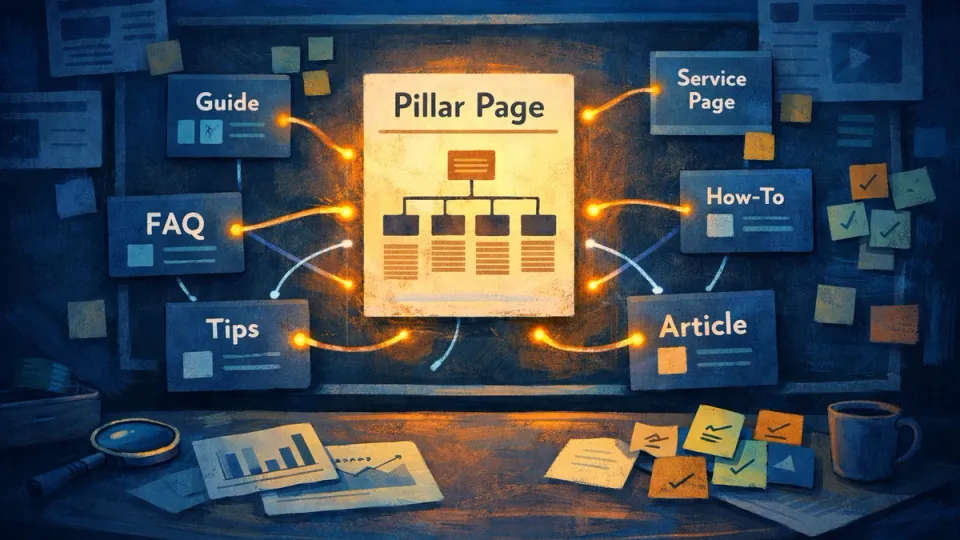
Most content hubs do not fail because there is too little content. They fail because there is too much similar content without hierarchy. When companies publish guides, FAQ entries and campaign pages over several years, they eventually end up with multiple pages targeting almost the same keyword. In Google Search, those pages compete against each other instead of strengthening the topic.
A content hub solves exactly this problem. It arranges existing and planned content around a topic so every page has its own job: one central page gives the overview, several detail pages answer one specific question each, and internal links guide readers from initial interest to an inquiry. For SMEs with a grown website, that is often a bigger lever than publishing even more new articles.
Why hierarchy matters more than article volume
Imagine two guides: “secure WordPress” and “improve WordPress security”. Both are well written, both target practically the same search term. For Google, it is not clear which page is the main document, so both often rank only moderately, somewhere on page two. That is keyword cannibalization, and on grown websites it is the norm, not the exception.
A content hub removes this competition through clear roles. One page per search intent, one central page that bundles the topic. The central page, the pillar page, does not explain every detail. It frames the topic and points readers to the right in-depth pages. The detail pages then go deeper. If those roles blur, the result is either endless pages without reader guidance or many small articles that take visibility away from each other.
In its guidance on helpful, reliable content, Google describes the standard every hub page should meet: does this page help a specific audience with a specific task? If two pages fulfill the same task, one of them should be merged, not published in addition.
Content hub or content audit: which comes first?
Both are connected, but they point in different directions. A content audit looks back: it evaluates which existing content performs, should be improved or should be merged. A content hub looks ahead: it plans the structure those pages should belong to.
In practice, the sequence is usually: audit first, hub second. When teams know which pages already exist and where they overlap, they do not plan the hub from scratch. They clean up existing duplication at the same time. Without that view of the current inventory, the hub quickly creates the very problem it is supposed to solve.
What a real hub looks like
Theory becomes easier to grasp with a concrete example. An SEO hub built from existing Bajorat Media content could look like this: the service page is the pillar page, the guides are the cluster content, and each one answers exactly one search intent.
| User search intent | Page type | Page in the hub |
|---|---|---|
| Is SEO worth it, who can implement it? | Pillar / service | Search engine optimization |
| How do I find the right keywords? | Guide | Effective keyword research |
| How do I build clean URL structures? | Guide | SEO-friendly URL structure |
| Why is my page not ranking technically? | Guide | Technical SEO analysis |
| What should I watch during a relaunch? | Guide | SEO mistakes during relaunch |
| How can I be found in AI search? | Guide | Optimizing AI search |
| Which content is outdated? | Guide | Content audit |
What matters is what this table makes visible: not a single article duplicates a search intent. The pillar page does not need to explain how keyword research works. It links to the guide that does this completely. Copywriting as its own project topic is bundled in parallel through the service SEO texts and copywriting. This creates a system in which every page has a place.

Internal links are the structure of the hub
Without internal linking, a content hub is only a folder of articles. Links are the supporting structure that turns individual pages into a system. Four rules carry most of the weight:
- The pillar page links to all important in-depth pages. That is what defines the hub for Google in the first place.
- Every detail article links back to the pillar page and to the next logical step, not randomly to everything.
- Guides link to the relevant service exactly where a question can become a project need.
- Link text names the destination clearly. “Check technical SEO analysis” classifies the target page; “learn more” does not.
Google emphasizes the last point in its link best practices: descriptive link text helps search engines understand the linked page. A hub with precise anchor text therefore gives not only readers, but also crawlers a map of the topic.
The three mistakes that slow down a hub
In project work, three patterns appear again and again, and all three can be avoided before publication:
- The pillar page tries to explain everything. It becomes a 4,000-word page that nobody finishes and takes rankings away from specialized guides for their own keywords. The pillar page is the map, not the destination.
- Too many thin articles at once. Anyone who starts a hub with fifteen articles creates cannibalization and maintenance work at the same time. Three to six strong pieces at the start, each answering one clear question, work better than a dozen half-finished ones.
- Nobody owns maintenance. A hub on a technical or legal topic is often outdated after twelve months without review. Without clear responsibility, it loses the reliability that helped it rank.
Maintenance: expand or merge
A content hub is not finished after publication. It moves into operation. The most important ongoing decision is: expand or merge? These signals help:
- Two pages compete for the same search queries in Google Search Console: candidate for merging.
- One search query brings many impressions but few clicks: the page does not fit the intent or needs a better title.
- A detail question appears repeatedly in sales or support, but has no page yet: candidate for a new cluster article.
- Examples, version references or legal statements are outdated: update before starting a new topic.
With this view, the hub becomes denser and more precise over time instead of growing into a mess. New articles are then not created out of habit, but because a concrete gap has become visible.
Conclusion: structure beats output
A content hub makes SEO work more predictable because it puts the right question first. Not “How many articles do we need?”, but “Which page answers which question, and how do the links guide readers onward?” A loose article archive becomes an editorial system in which every page has a job and contributes to a concrete offer.
The biggest gain is not more content, but less competition within your own website: clear hierarchy, fewer duplicates and a path that carries visitors from the first question to the right decision. If a website has grown over several years, the best starting point is therefore not another article, but the structure underneath it.

